Xenify Plan
Issues in, dates out.
A board and a backlog for your team’s issues, and a timeline that works out when each one happens from its estimate, what it waits for and who has time. You never type a start date.
Plan needs a Xenify server: plans live there, so everyone works on the same plan and the same people’s time. Run one for your team, or let Xenify Hub set one up on your computer just for you. In the browser there’s nothing to install: open Plan from your own server (its address, then Plan).

Made in Plan: a spring campaign on the board.
1Board
The day-to-day, as cards.
Drag a card to the next column, or type at the foot of one to add an issue. The columns are yours: rename them, colour them, add more, and say which count as started or done.
2Backlog
One list, in the order it gets done.
Every issue in priority order, grouped by epic or label. Drag a row higher and it happens sooner. Cards and rows show what’s still missing, so nothing half-written slips through.
3Timeline
Dates that work themselves out.
Give an issue an estimate and someone to do it. Plan fits it into their working hours, around weekends, public holidays and their time away, after the issues it waits for. Drag the dot at the end of one bar onto another to make it wait; drag a bar later to hold it back.

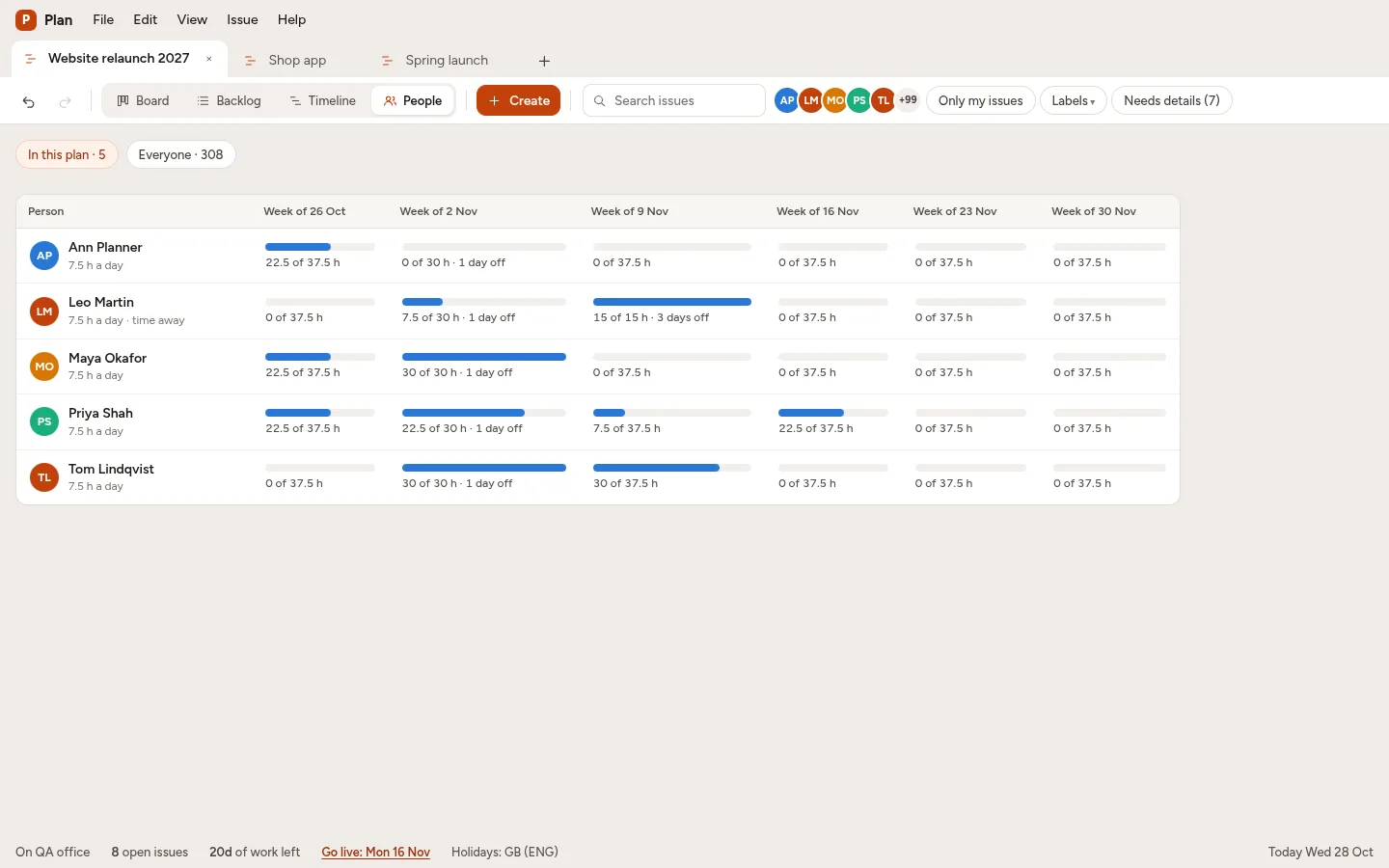
4People
Who is busy, across every plan.
Week by week, the hours each person has work for against the hours they can work, counting every plan on your server. Click a week to see what fills it. Give an issue to a team and Plan gives it to whoever can finish it first. Time away is the same out-of-office people set in Xenify Chat.
5The whole picture
One plan that shows every project.
Make a plan for management that mirrors other teams' plans, epics or single issues: each shows up as one bar that follows the real work, so you see when every project will finish without copying anything. An issue can also wait for one in another team's plan, and moves when that one does. A plan you can't open shows only its name, its dates and whom to ask.

And the rest.
Free for Windows, Mac and Linux.
Xenify Hub installs Plan and the server it needs, and keeps them up to date.