Xenify Write
The word processor that catches your mistakes and keeps your writing to itself.
Spelling, grammar and clearer wording, checked on your computer as you type. .docx files in and out, templates to start from, and your team in the same document at once.
In the browser there's nothing to install, and it keeps working offline once it has loaded.
Checked as you type
It sees “their” when you meant “there”.
Not just spelling: grammar, repeated words, mixed-up words like grate and great, and capitals, each explained in plain words. Right-click to fix it. The checker runs on your computer, so nothing you write is sent away to be checked.
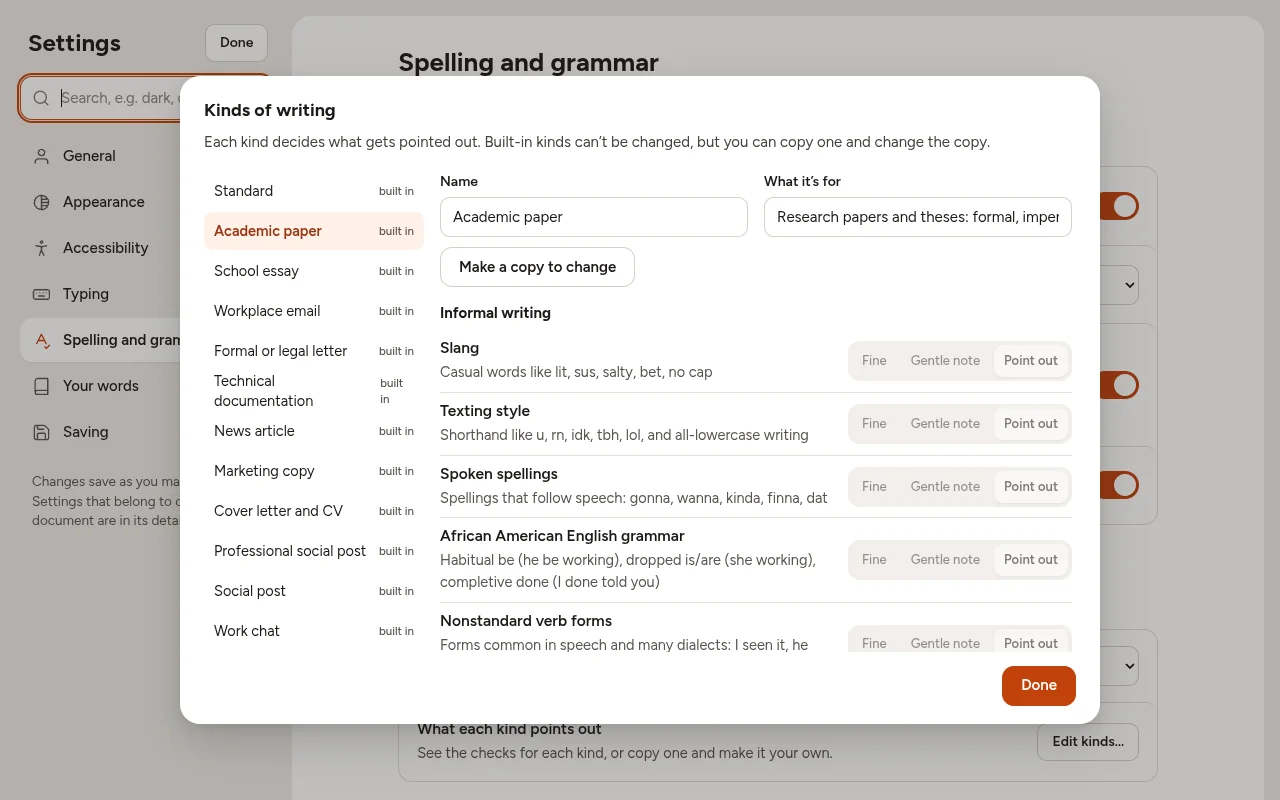
Kinds of writing
Checked for what you're writing.
Tell Write what kind of document it is, an academic paper, a school essay, a work email, a formal letter or a social post, and it points out what matters for that kind. Slang is fine in a chat but not in an essay; a thesis can have long sentences that a work email shouldn't.
Copy one of the kinds and change what it looks out for, from passive voice to abbreviations that need spelling out.
Together
Write in the same document, at the same time.
See where everyone is as they type, each in their own colour. Undo only undoes your own changes. It all goes through your own Xenify server, over HTTPS, and carries on when someone's connection drops.
Templates
Change the template once. Every document follows.
Turn one document into a template: your letterhead with the logo, the fonts and headings, the headers and footers. Then use it on another document. That document keeps its own words and takes the template's look.
When the logo changes or the house style gets a refresh, change the template: every document that uses it shows the new look the next time it's opened. No going through hundreds of files by hand.
- File › Use a template for this document, or start a new one from it
- Boxes to fill in, like the client's name or the date
- Each team's templates, shared on your server
Always up to date
Reports that update themselves.
Put a table or chart from a Calc spreadsheet, a plan's progress or a Draw picture in a document. When the numbers change, the document shows the new ones the next time it's opened, so a sales forecast is never out of date.
Everything a document needs.
Free for Windows, Mac and Linux.
Xenify Hub installs Write and keeps it up to date.